

Electronics and robotics lab · in the browser
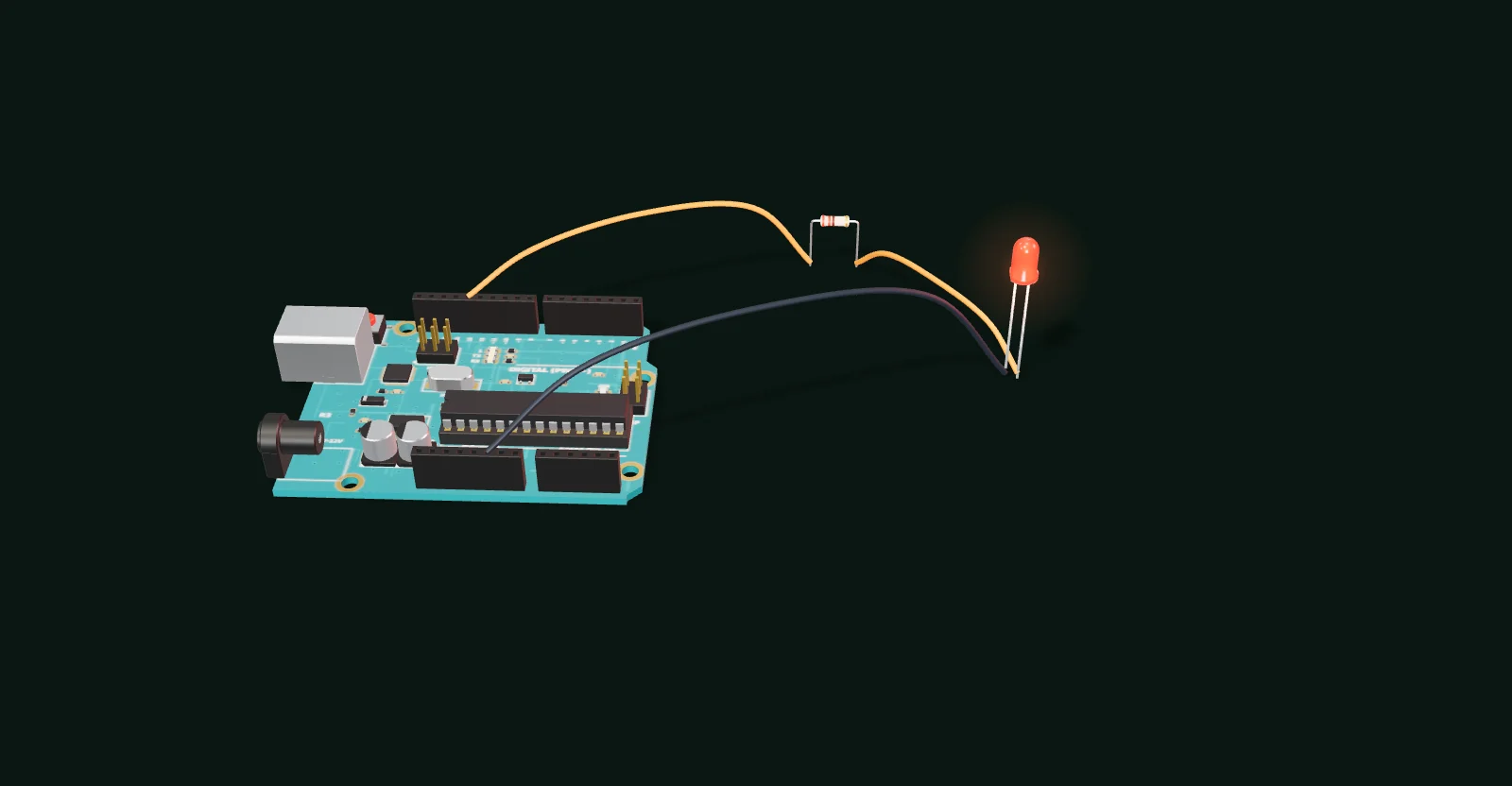
The  LED burns here, not on the desk.
For schools and academies: your students build Arduino circuits, program them with blocks and solve 28 guided challenges, with nothing to install.
The first 4 challenges open without an account, in Chrome or Edge, best on a computer. With their class code, every challenge and the AI mentor open.
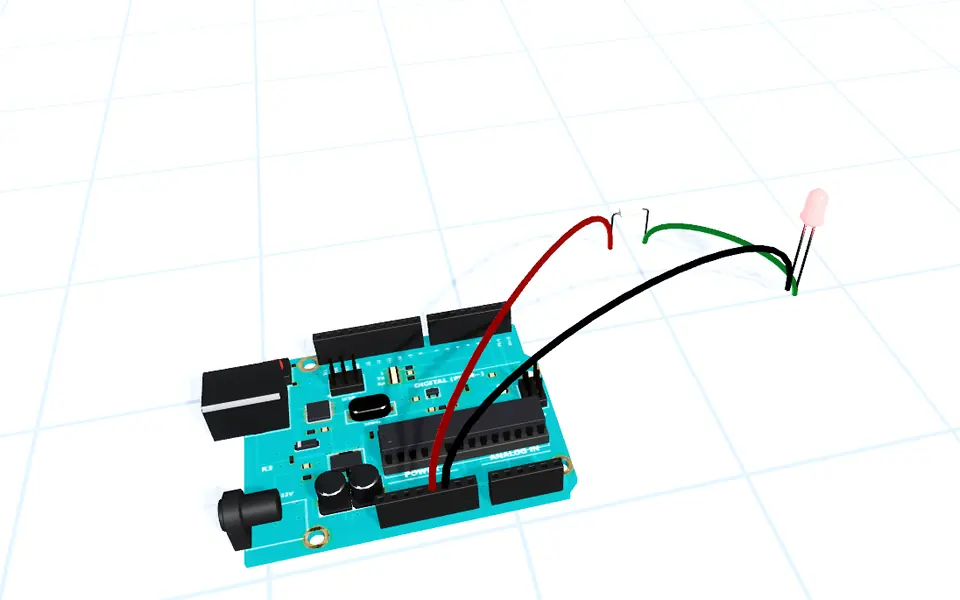
January and FebruarySummer workshop: S/ 35 per studentThis is the first challenge's bench, with the game's own models.
Why GiruDemic exists
Many schools have robotics kits but lack spare parts, time or a lab to use them. In GiruDemic every student builds, makes mistakes and tries again: if a part burns, they swap it and keep going.
How it works
From the wires to the blocks, on the same screen.
Every challenge is built, programmed and checked in the browser. There's nothing to install and no parts to buy.
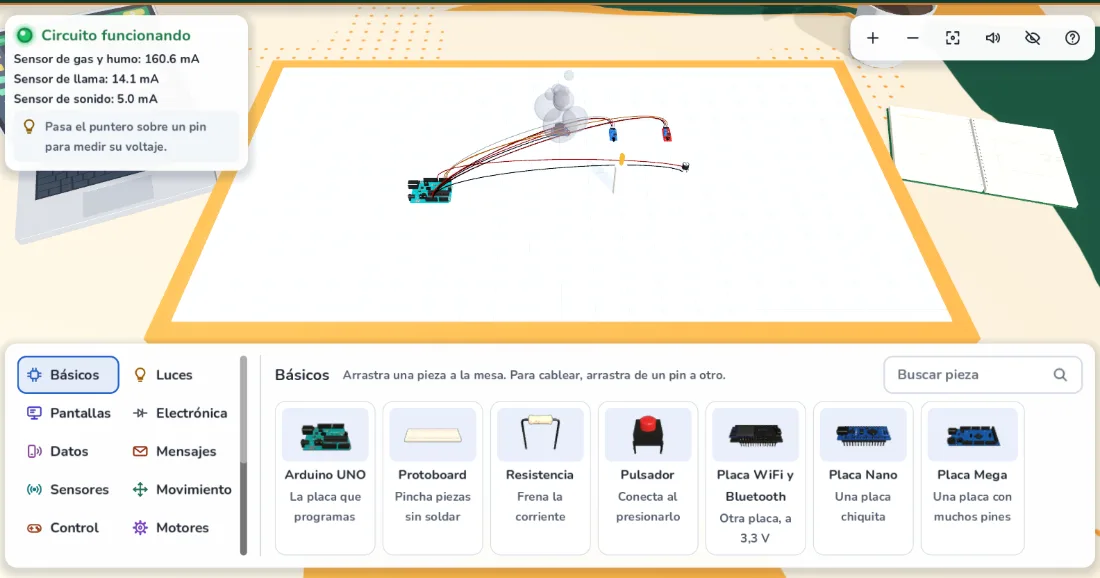
They build the circuit
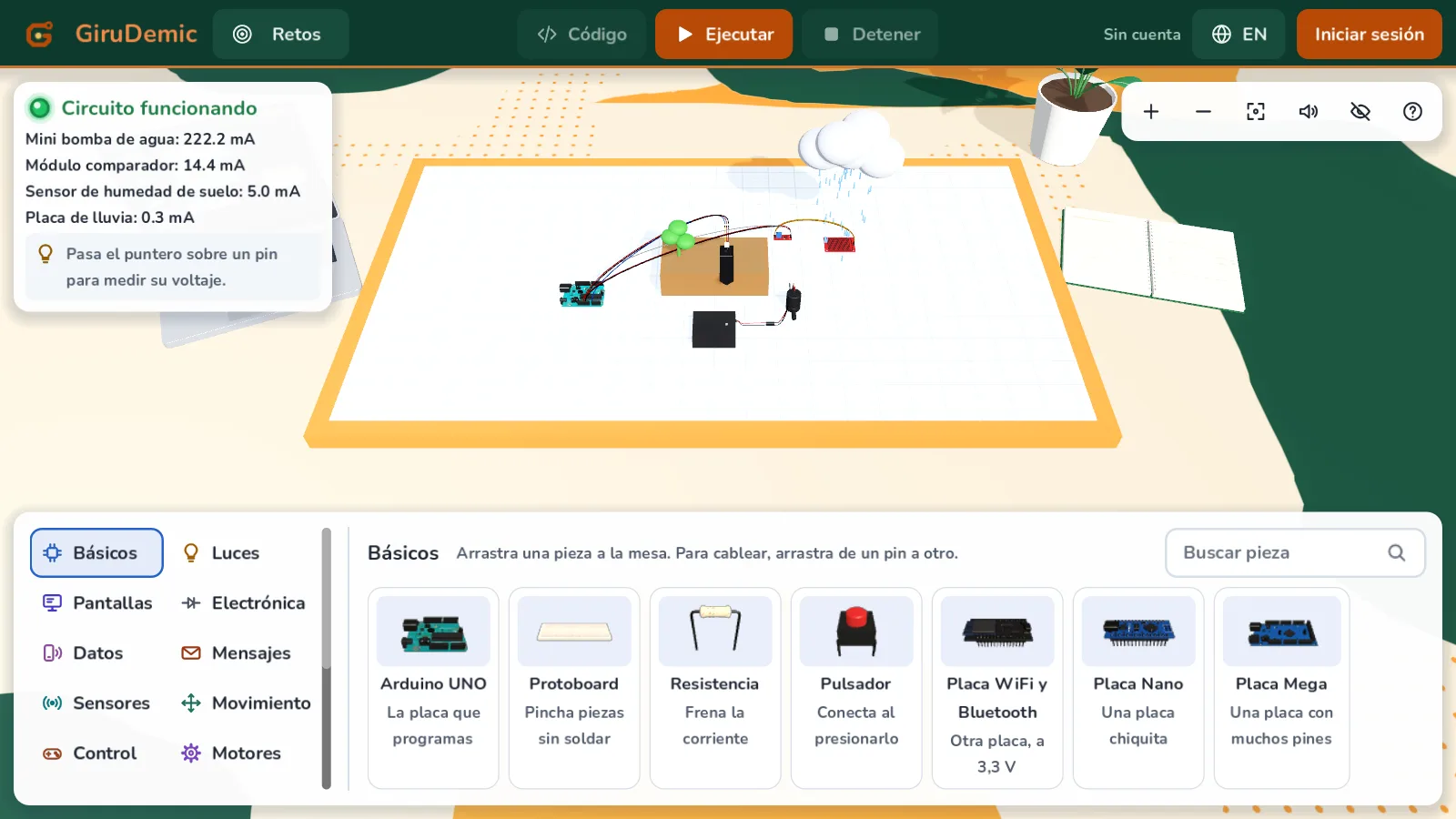
They drag parts onto the table and wire them pin to pin, guided by the «How it's wired» list. The panel tells them right away whether the circuit is open, shorted or working, and how much current flows through each part.
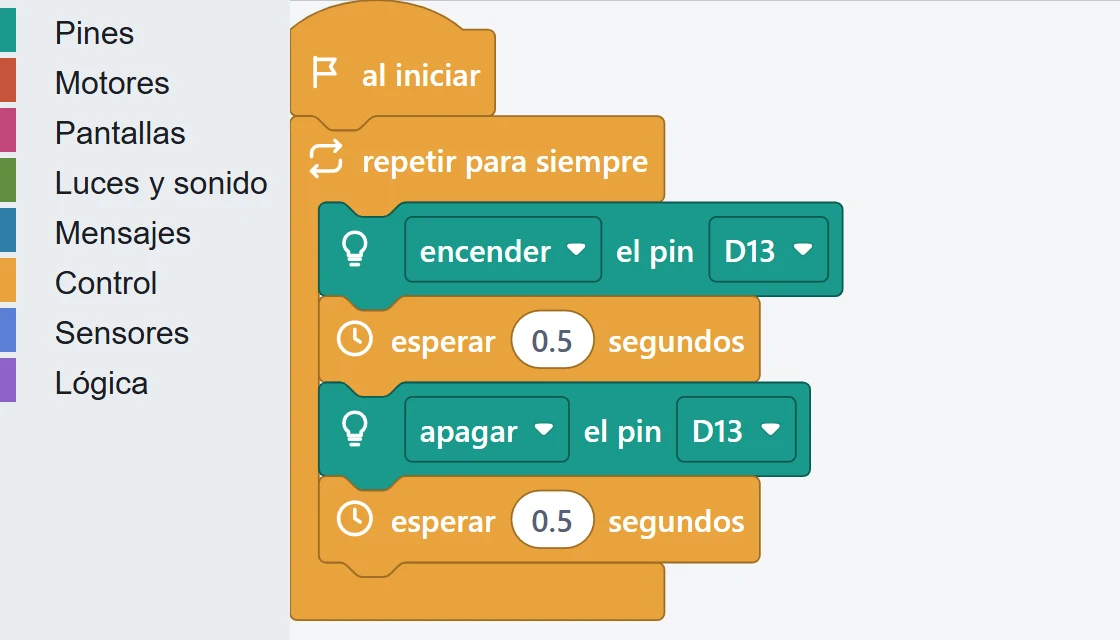
They program it with blocks
With blocks like «turn on pin D13» and «wait 0.5 seconds» they tell the Arduino what to do, and watch it happen on the table. The C++ tab shows the same program as Arduino code.
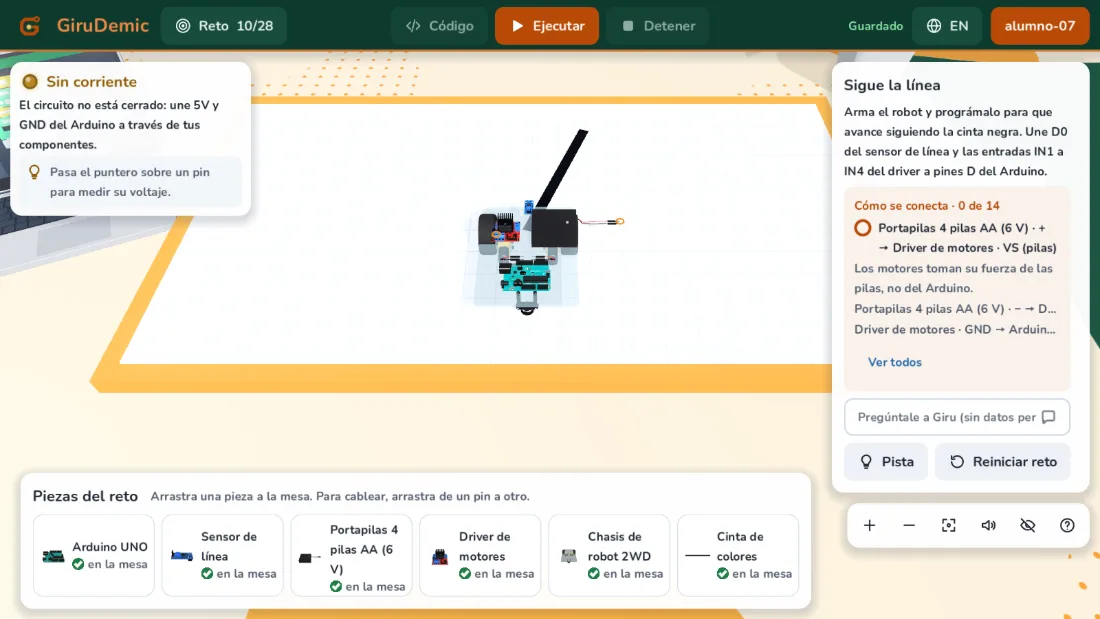
They solve the challenge
Every challenge has a clear goal and checks itself. If they get stuck, Giru, the mentor, gives them a hint without handing over the solution.
The challenges
From the first LED to a robot arm
There are 28 challenges and each adds a new concept. They unlock in order, and the teacher can open the one the class is on.
Pick a challenge to see it solved.
- closed circuit
- current-limiting resistor
- LED polarity
- digital input
- if / else
- pull-down resistor
- mobile robot
- line follower
- control with a sensor
- moisture sensor
- relay
- analog threshold
- Bluetooth
- text messages between devices
- robot arm
- several servos at once
+22 challenges in between: fire and door alarms, a traffic light, the joystick, the transistor, the Mega board, a scale and more.
See all 28 challenges
Light
- 01Light the LED without burning it
- 02Your first program
- 03Make the LED blink
- 04Half brightness
Sense and move
- 05The button is the boss
- 06Move the servo
- 07Distance alarm
Motors and robots
- 08Forward and backward
- 09A quarter turn
- 10Follow the line
Alarms
- 11Fire alarm
- 12Double alarm
- 13Magnetic door
Garden
- 14Automatic watering
- 15Water unless it rains
Control and lights
- 16Drive with the joystick
- 17Traffic light
Power
- 18The transistor is in charge
- 19Two servos, one driver
Boards and messages
- 20Running light on the Mega
- 21Orders from the phone
- 22Flag of lights
Measuring the world
- 23The scale warns you
- 24Night light
- 25Tank without spills
Workshop
- 26Bring it down to 3.3 V
- 27Eight outputs with three pins
- 28The arm waves
And a free mode with over a hundred parts, so they can invent their own projects.
The parts
The same parts as your kits
What they practise on screen is built the same way in class: the same Arduino UNO, the same breadboard, the same sensors and motors.
For schools
Made for the classroom
Not just another game: it's the course's lab, with what a teacher needs to take the whole class along.
- Class accounts, no email or real name
- Students sign up with their class code, a username and a password. No email or real name is asked for.
- The teacher sets the class challenge
- The whole class can go to the same challenge even if each student moves at their own pace, and progress is saved in the cloud.
- Hints, not answers
- Giru, the AI mentor, gives hints about the circuit and the blocks, never the solution and never grades. The teacher turns it on for each student once their family authorizes it.
- What you need
- One computer per student or per pair, with an up-to-date Chrome or Edge and internet. Nothing to install and no per-device licences.
- Lessons aligned to Peru's curriculum (CNEB)
- Eight 90-minute lessons for grades 5 to 8, with competencies, evidence and a rubric. The teacher grades; the game never does.
- No electronics background needed
- Every challenge brings its goal and its hints and checks itself, so the teacher can guide without mastering the subject.
- 28guided challenges
- 100+parts to build with
- 8lessons aligned to Peru's curriculum
- 2languages: Spanish and English
January and February
Summer workshop
Eight 90-minute sessions, two a week for four weeks, for kids aged 10 to 14, ready for your teacher to run: from the first LED to a project of their own.
S/35
per student, with Giru, the AI mentor
- From 10 students per group
- Access from January to March, from home too
- Price in Peruvian soles, VAT included, with an invoice
Mail app didn't open? Write to contacto.girudemic@gmail.com
The first light
Challenges 1 to 3
Brightness and buttons
Challenges 4 and 5
Move and measure
Challenges 6 and 7
Motors and a robot
Challenges 8 to 10
Alarms for the home
Challenges 11 to 13
The garden and the joystick
Challenges 14 to 16
Lights and power
Challenges 17 to 19
Final project
Their own invention
What's included
- Teacher's guide as a PDF, session by session
- Class accounts, no email or real name
- Giru gives everyone hints at once, never the answer
- We join your first session
Coming next
What we're working on
From the block to the real Arduino
They already see the Arduino code behind their blocks. Next: downloading the project with its parts list and wiring, to build it off screen.
Robots that learn
An artificial intelligence block so the robot learns to move on its own.
Pilot
Try it with your class
A full two-month pilot at a launch price, with no long contracts. During the school year? Ask for the pilot. Over the holidays? Ask for the summer workshop.
- Week 1
We set up the class
We create the classroom and your students' accounts with you.
- First sessions
We join the first sessions
We're there at the start so everything works from day one.
- End of the two months
We review it together
We look at how many students come back and how many challenges they finish. Then you decide whether to continue.
Mail app didn't open? Write to contacto.girudemic@gmail.com